Control Every Display, From Anywhere
Every tablet and display in the house, run from the editor you already have open. Push a dashboard, force a refresh, lock editing, set brightness and volume, reload a kiosk, or check a tablet’s battery — without walking over to the device.
Command your screens remotely
Perfect for wall tablets, kiosks, and displays you don’t want to keep touching.
Push Dashboard & Force Refresh
Send any dashboard to any registered device and switch what it shows, or force a refresh when a screen gets stuck.
Brightness & Volume Per Screen
Set brightness and volume on each display independently, or let brightness follow a light sensor so the bedroom screen dims itself at night.
Lock Editing, Log Out Remotely
Stop anyone rearranging the hallway tablet by accident. Lock edit mode on a screen, or log that browser out entirely, from wherever you are.
Battery & Device Telemetry
Each screen reports its battery level, whether it’s charging, and its device and app version — so a tablet running low is something you spot from one panel.
One panel to manage all your displays
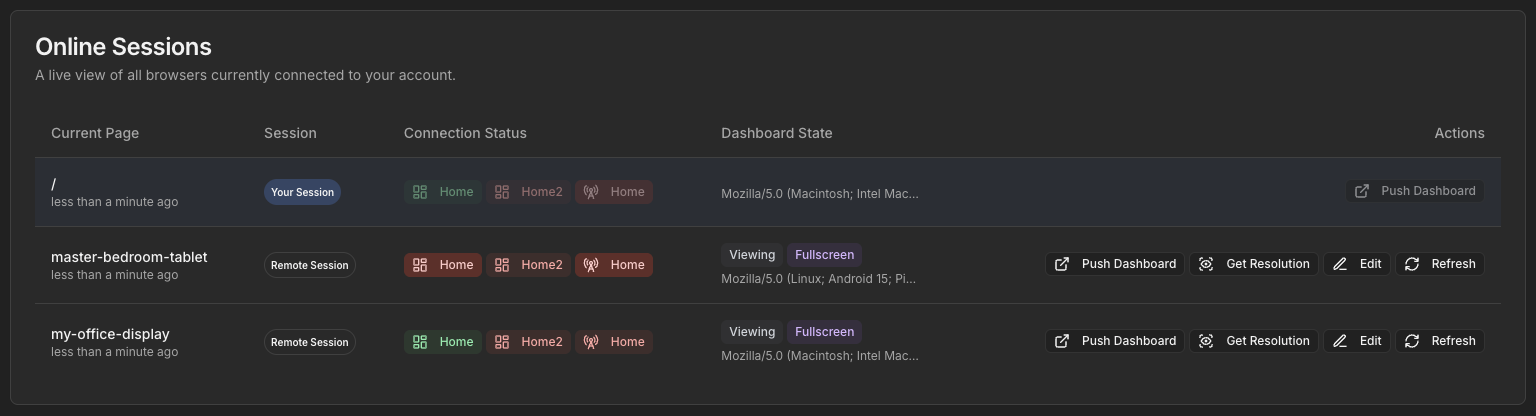
You have a wall tablet in the kitchen, another by the front door, maybe an old Fire tablet out in the workshop. Dashable turns them from three separate chores into one fleet you run from wherever you happen to be sitting. Registered Devices and Active Browser Sessions list every screen that is connected. From there you can push any dashboard to any one of them and it switches over before you stand up, force a refresh on all of them after you change a layout instead of walking the house tapping each one, lock editing on the hallway tablet, reload a kiosk that has drifted, or log a browser out entirely.
Built for fleets of screens
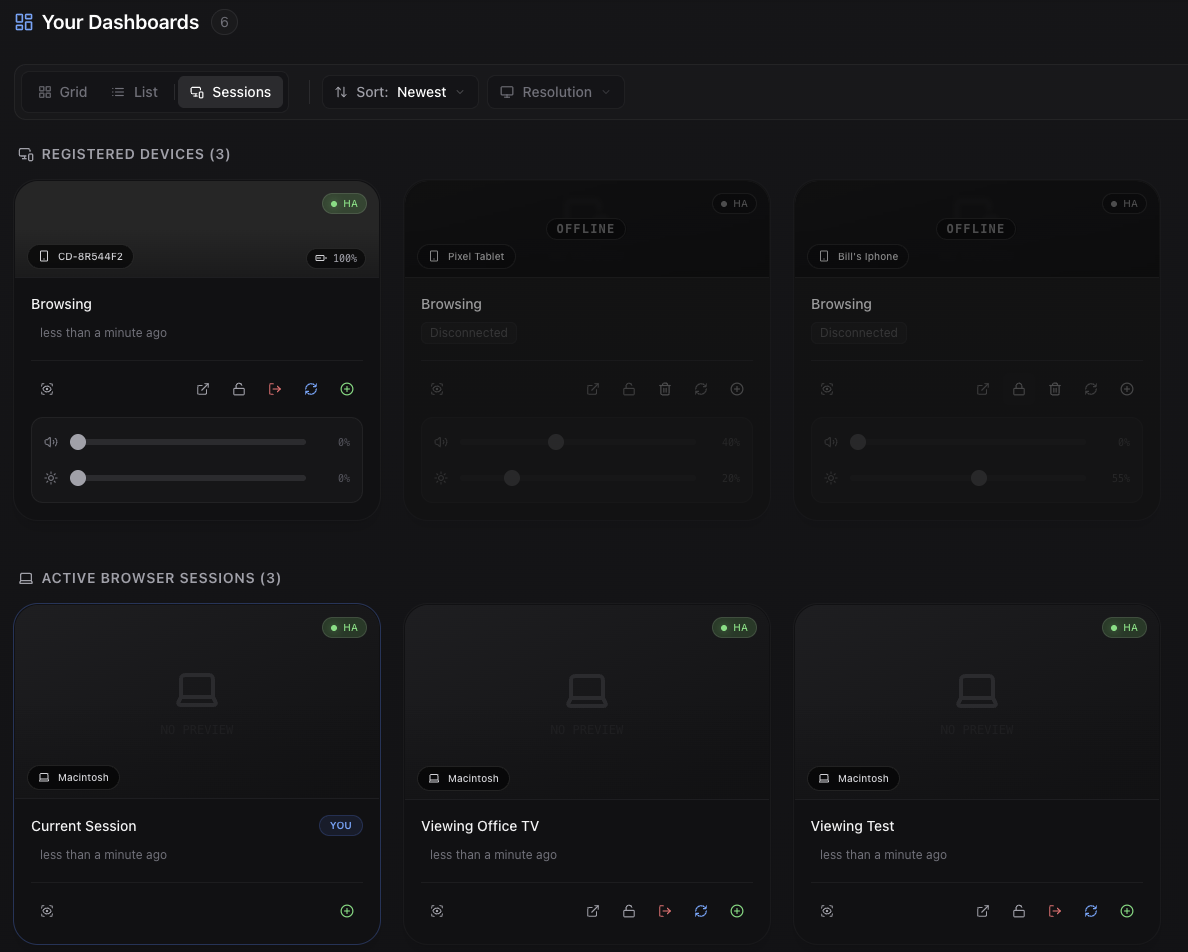
Running Dashable on five tablets around the house? Ten screens across an office? It scales with you. Detect each device’s exact screen size for crisp layouts, set brightness and volume per screen — or let brightness follow a light sensor, so the bedroom display dims itself at night — and manage them all without a step-ladder and a stylus. Each screen reports its battery level and charging state, so a tablet running flat is something you notice from your desk. Kiosk apps like Fully Kiosk are good at locking a tablet into a browser, and Dashable works fine alongside them. What they don’t do is let you see and steer every one of those browsers from the editor you already have open. That’s the job this does.
Remote control FAQ
Explore more of Dashable
Every feature, built for a beautiful, private, local-first smart-home dashboard.